MeetingKit is a complete meetings feature, as a service. Calendar sync, a notetaker that joins the calls, transcripts, speaker names and summaries, all behind one API. You design the screens; MeetingKit runs everything behind them. Your users connect their calendar in your product, pick which meetings get recorded, and read what was said in each one.
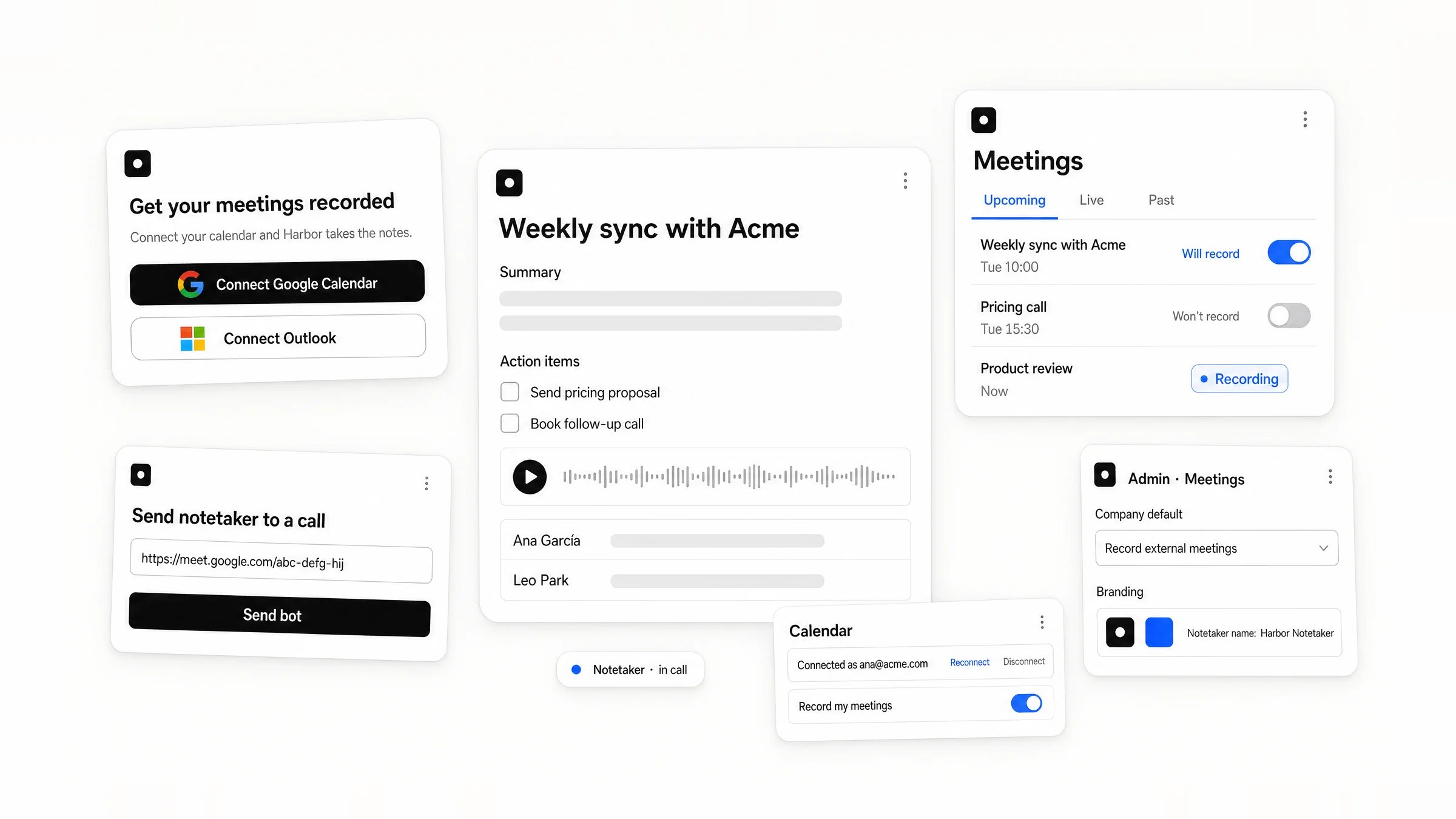
The screens you build with MeetingKit: connect a calendar, the meetings list with recording labels, a finished meeting with summary, action items, transcript and audio, sending the notetaker to a call, user calendar settings, and the admin's company default and branding.
  • Ship in 5 minutes
    One API key, a connect link and a webhook. Calendar sync, the notetaker in Zoom, Google Meet and Microsoft Teams, and the processing all run on MeetingKit: you build only the screens.
  • Top-tier accuracy
    Each language goes to the best of 8+ speech engines, ranked on real meeting audio, with a fallback if one fails.
  • 130+ languages
    Detected automatically, even when a call switches language mid-meeting.
  • Speaker identification
    Speakers separated even in crosstalk, then named with their email: MeetingKit recognises voices across meetings.
  • Your brand
    Your notetaker’s name, avatar and messages in every call, and one isolated workspace per customer.
  • Powerful configuration
    Recording rules per company, per user and per meeting, audio or video, 20 built-in summary templates, recording consent built in, and webhooks the moment anything changes.

What you build

Here is each screen, and the API behind it.

A user connects their calendar

A call to action where users start, in onboarding or the dashboard. They approve Google or Microsoft access and come back to your product with their calendar syncing.
A dashboard card, Get your meetings recorded, with Connect Google Calendar and Connect Outlook buttons. Notes: Connect is POST /calendar_connect_links with member_data and return_url; back from consent, the return_url carries member_id.
Connect calendars →

They manage it in settings

The connected account with reconnect and disconnect, and which of their meetings get recorded.
A settings screen: Connected as ana@acme.com with Reconnect and Disconnect, and a Record my meetings choice of All meetings, Only with external guests, or None. Notes: Reconnect is a connect link with member_id, shown after calendar_connection.error; Disconnect is DELETE /calendar_connections; Record my meetings is the member's settings and their meetings: categories.
Meeting settings →

They see their meetings

Live, upcoming and past, each with a label and, before the call, a switch.
A meetings screen with Live now, Upcoming and Past sections. Rows read Recording, Will record or Won't record with a switch, Processing, Ready, or Not recorded. Notes: each section is GET /meetings with member_id and phase; Recording is phase live; Will record and Won't record are settings.recording.enabled; the switch is a meeting: settings assignment; Processing and Ready are results.status; Not recorded is past with results.status none.
Meetings list →

They open a finished meeting

The summary, action items, transcript, speakers and audio.
A meeting page with a summary, an action item assigned to Laia, a transcript by speaker and an audio player. Notes: the meeting.finished webhook, then GET /meetings/{id}/results; summary.sections, summary.action_items, transcript.segments with speakers member_id, and media.audio_url.
A finished meeting →

They send the notetaker to an ad-hoc call

A button for a call that is on no calendar: paste the link, and the notetaker joins.
A Send bot to meeting button in the meetings screen opens a form with a meeting link and a Send bot button. Notes: Send bot is POST /bots with member_id and meeting_url; the results come from GET /meetings/{meeting_id}/results.
Send bots →

An admin sets the company defaults

For each of your customers: what gets recorded by default, and how the notetaker looks.
An admin screen: Default for new users, Record meetings with external guests, and Branding: the notetaker name Acme Notetaker with an avatar. Notes: the company default is the workspace's settings (PATCH /settings/set_) and its meetings: categories; Branding is POST /brand_kits and branding.brand_kit_id.
Set up a customer → Ready to try it? The Quickstart records your first meeting in ten minutes.