> ## Documentation Index
> Fetch the complete documentation index at: https://docs.meetingkit.com/llms.txt
> Use this file to discover all available pages before exploring further.
# What's MeetingKit?
> Everything your product needs for meetings, and the screens you build with it.
**MeetingKit is a complete meetings feature, as a service.** Calendar sync, a notetaker that
joins the calls, transcripts, speaker names and summaries, all behind one API. You design the
screens; MeetingKit runs everything behind them.
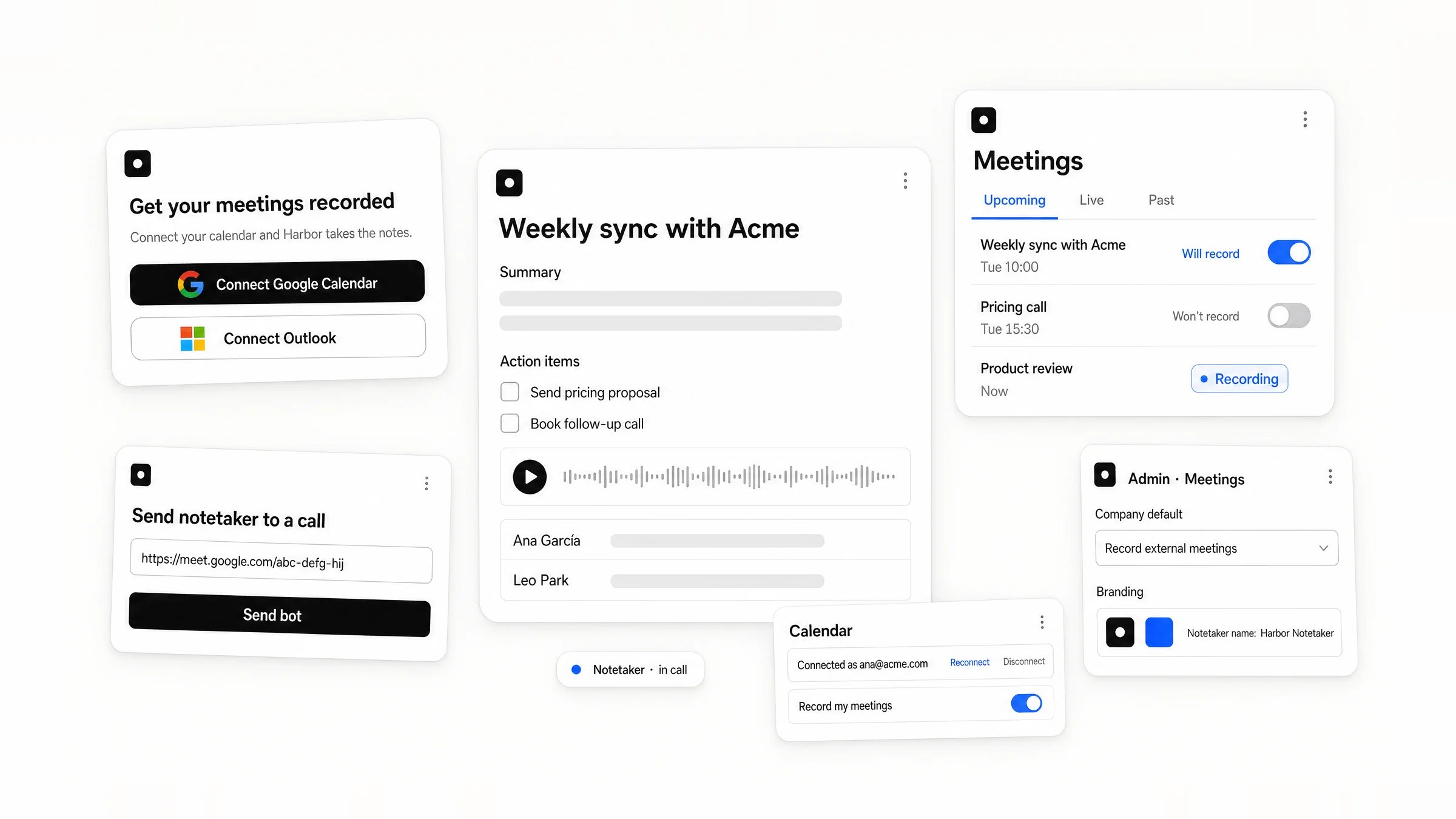
Your users connect their calendar in your product, pick which meetings get recorded, and read
what was said in each one.
* **Ship in 5 minutes**
One API key, a connect link and a webhook. Calendar sync, the notetaker in Zoom, Google Meet
and Microsoft Teams, and the processing all run on MeetingKit: you build only the screens.
* **Top-tier accuracy**
Each language goes to the best of 8+ speech engines, ranked on real meeting audio, with a
fallback if one fails.
* **130+ languages**
Detected automatically, even when a call switches language mid-meeting.
* **Speaker identification**
Speakers separated even in crosstalk, then named with their email: MeetingKit recognises
voices across meetings.
* **Your brand**
Your notetaker's name, avatar and messages in every call, and one isolated workspace per
customer.
* **Powerful configuration**
Recording rules per company, per user and per meeting, audio or video, 20 built-in summary
templates, recording consent built in, and webhooks the moment anything changes.
## What you build
Here is each screen, and the API behind it.
### A user connects their calendar
A call to action where users start, in onboarding or the dashboard. They approve Google or
Microsoft access and come back to your product with their calendar syncing.
 [Connect calendars →](/meetingkit/calendar-connection)
### They manage it in settings
The connected account with reconnect and disconnect, and which of their meetings get
recorded.
[Connect calendars →](/meetingkit/calendar-connection)
### They manage it in settings
The connected account with reconnect and disconnect, and which of their meetings get
recorded.
 [Meeting settings →](/meetingkit/meeting-settings)
### They see their meetings
Live, upcoming and past, each with a label and, before the call, a switch.
[Meeting settings →](/meetingkit/meeting-settings)
### They see their meetings
Live, upcoming and past, each with a label and, before the call, a switch.
 [Meetings list →](/meetingkit/meetings)
### They open a finished meeting
The summary, action items, transcript, speakers and audio.
[Meetings list →](/meetingkit/meetings)
### They open a finished meeting
The summary, action items, transcript, speakers and audio.
 [A finished meeting →](/meetingkit/results)
### They send the notetaker to an ad-hoc call
A button for a call that is on no calendar: paste the link, and the notetaker joins.
[A finished meeting →](/meetingkit/results)
### They send the notetaker to an ad-hoc call
A button for a call that is on no calendar: paste the link, and the notetaker joins.
 [Send bots →](/meetingkit/send-bot)
### An admin sets the company defaults
For each of your customers: what gets recorded by default, and how the notetaker looks.
[Send bots →](/meetingkit/send-bot)
### An admin sets the company defaults
For each of your customers: what gets recorded by default, and how the notetaker looks.
 [Set up a customer →](/meetingkit/setup)
Ready to try it? The [Quickstart](/meetingkit/quickstart) records your first meeting in ten
minutes.
[Set up a customer →](/meetingkit/setup)
Ready to try it? The [Quickstart](/meetingkit/quickstart) records your first meeting in ten
minutes.